

A new transactions table
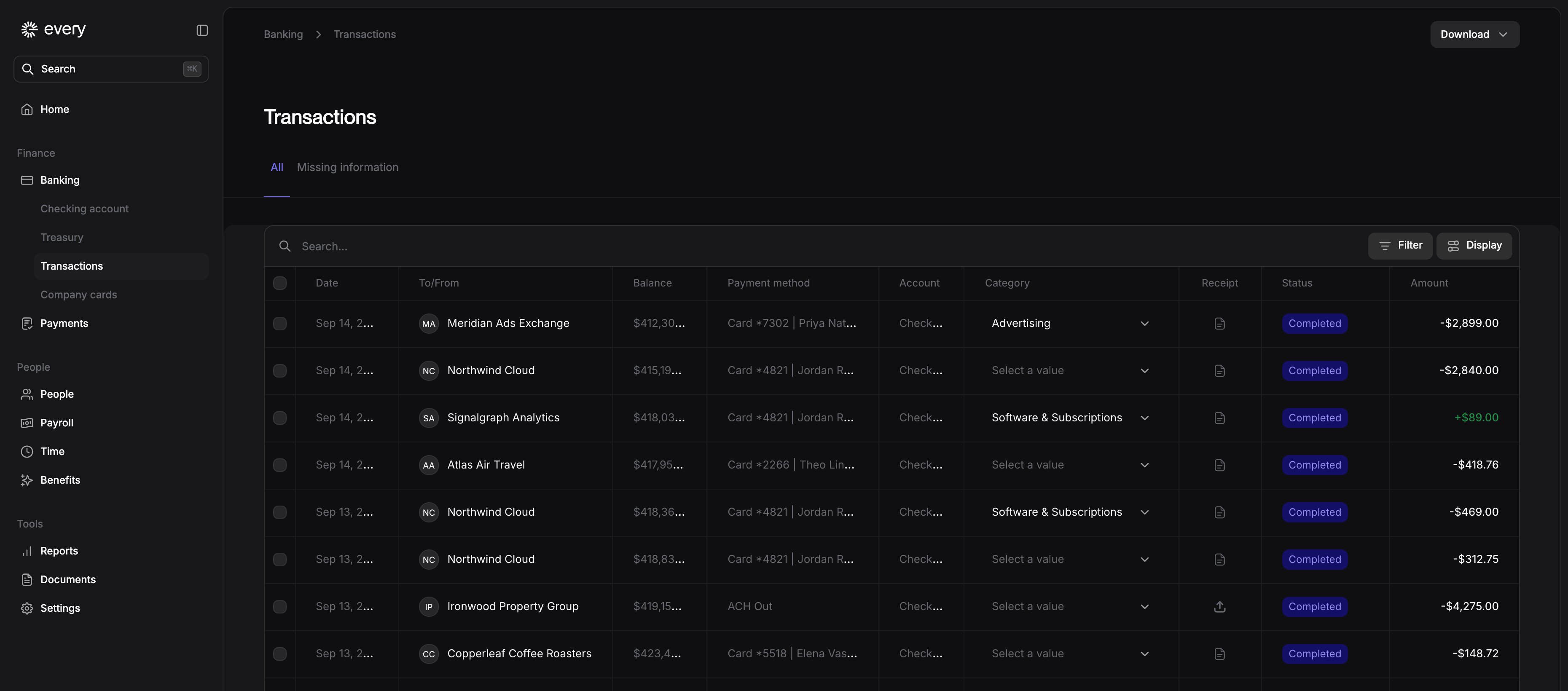
Transactions and My transactions have a table with toolbar filters. Where a transaction’s Category cell is editable, change its category in the row or assign a category to several transactions. Receipt and Status columns show what each transaction still needs.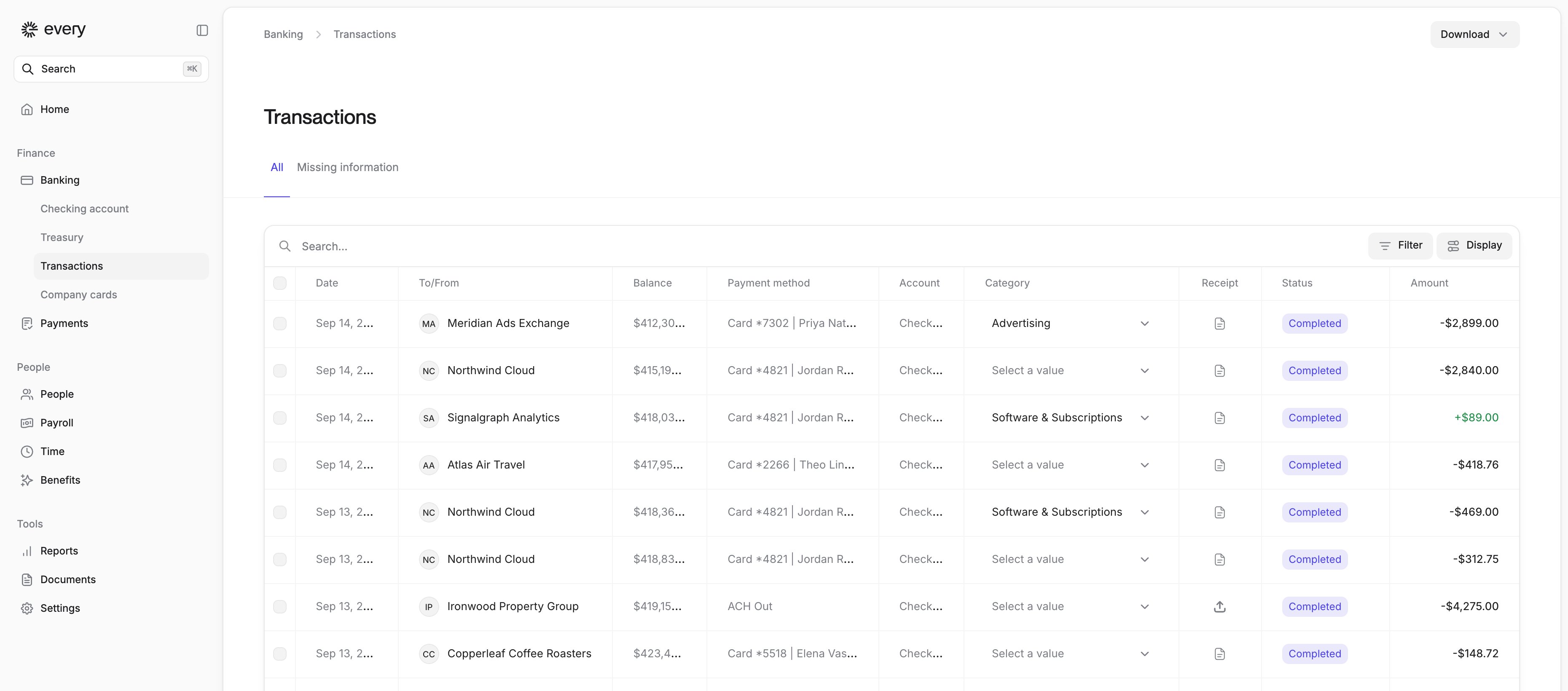
Transaction statements
When a transaction offers Download statement, select it for a payment PDF. Review the document for personal and banking details before sharing it.More time to change benefit elections
Employees can revise new-hire and open-enrollment health benefit choices after coverage starts while Make changes is available on their profile’s Benefits tab. Those changes no longer require a qualifying life event.Improvements
- Virtual card images have a dark-mode design, and long card names no longer overlap the Visa logo.
- Bill pay is now called Payments in the sidebar, and Bills is now All payments.
- You can preview an uploaded receipt on the Details step of a reimbursement before you submit it.
- When you review an expense report, hover over a cut-off description to read all of it.
- New hires fill out Form I-9 edition 01/20/25.
- I-9 verifiers who have an Every account get an email link that opens the I-9 to-do in Every.
- On the Enter Pay step, select an employee’s name to open their profile in a new tab without leaving the pay run.
- If you terminate a salaried employee during a pay run that’s already been previewed or submitted, Every asks you to send the pay run back to draft, which pro-rates their salary. Completed pay runs don’t change.
- W-2s report taxable group-term life insurance in Box 12 (code C) and include it in Box 1 wages.
- When you review a qualifying life event, the approval panel shows the event date, when coverage starts and what changes for each type of coverage.
- Expired health plans keep their Plan details button, so you can still open the plan summary.
- Multi-page PDFs in the file preview have previous and next buttons and a page count.
- An administrator invite distinguishes an email already in use from other invitation errors with “This user already exists”.
- After payroll onboarding, Every creates a to-do to choose a replacement if the company’s signatory becomes unavailable.
Fixes
- Filtering transactions by Check or Check Deposit now includes cleared checks, and CSV exports match.
- Pending and rejected outgoing wires show as Wire Out, not as money received.
- Receipt upload appears only on transactions that can take a receipt, so it no longer fails on incoming payments.
- When you email a receipt for a card purchase, its to-do on Home closes as soon as the receipt is attached, even if the email arrives twice.
- Saving a card’s spending controls no longer requires changing its name.
- Choosing Bank transfer in Add funds no longer crashes the page.
- Treasury statements download again instead of failing with “Not authorized for this statement”.
- Treasury’s setup screen opens at the top of the page, and the maturity date waits until your first purchase settles instead of showing a dash.
- The department you set on a bill shows when you view the bill.
- An invoice PDF that can’t be read no longer stops you from paying the bill.
- Creating a recipient in Send money no longer shows a false “Some information is missing or incorrect” error.
- Invoice downloads retry requests interrupted by a connection drop.
- In the Vendors list, the Request 1099 column offers Download 1099 only once the filed form is available, and shows Pending or Requested until then.
- The I-9 verification to-do shows employee documents again. Image uploads download instead of showing a broken preview, files with special characters in their names open, and each document has one readable title.
- Employee onboarding fixes a submission failure.
- Removing an external user who has administrator access offers Keep them as an administrator or Remove them entirely. Choose Remove them entirely to revoke their access to the company.
- You can no longer set an employee as their own manager.
- Phone number fields in hiring and onboarding default to the US (+1) and keep a saved country code.
- New hires no longer see the homepage flash before their onboarding opens.
- When a monthly benefit deduction changes mid-month, the new amount applies from the pay period it takes effect in, without under-deducting or catching up on earlier paychecks.
- A monthly benefit set as a percentage of pay is no longer deducted an extra time in months with an extra weekly or biweekly payday that a bank holiday moves.
- Year-to-date totals on paystubs no longer count deleted pay runs.
- On a completed pay run, the QuickBooks Sync button shows “Finish QuickBooks setup” and names the unmapped categories, instead of disappearing.
- When a contractor becomes an employee, their old contractor job no longer appears on pay runs or in Job & pay.
- A validation error no longer blocks the first save of a timesheet entry.
- For employees who contribute to both a Traditional and a Roth 401(k) through Human Interest, the employer match is worked out on their combined contributions, up to the plan’s limit.
- Employees can enroll from the Benefits tab of their profile when enrollment has been reopened for them.
- A damaged PDF shows an error instead of loading forever.
- Form SS-4 uses the December 2025 revision.
- Replacing a removed file during company onboarding no longer leaves a duplicate in the document list.
- You can add back an external administrator who was removed earlier.
- The Passkeys section of Security settings shows when passkeys are loading or no passkeys have been added.
- Company onboarding no longer accepts an incorporation date in the future.