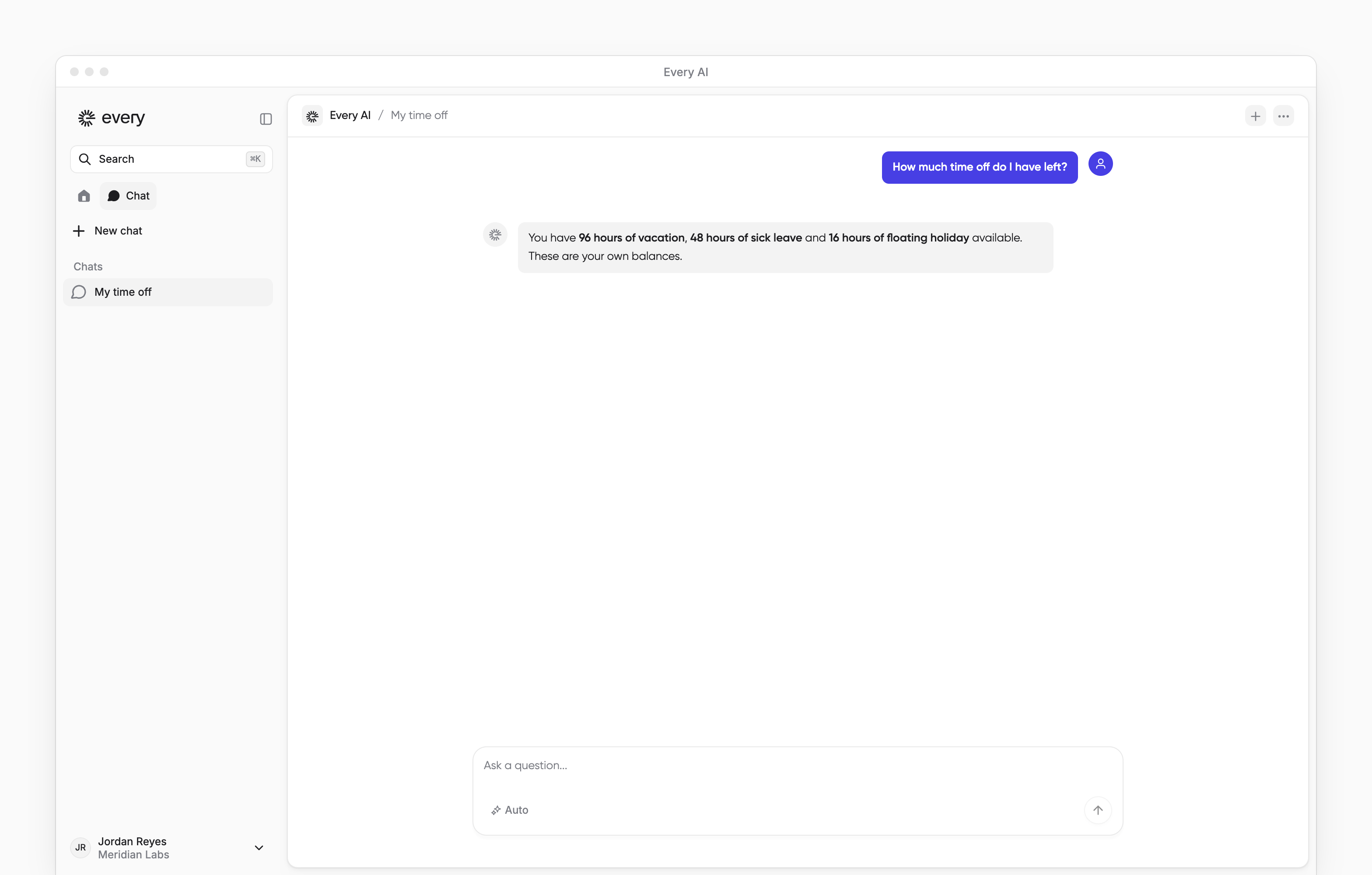
AI chat with the employee's message and an answer. AI chat with the employee's message and an answer. On Home, use the Every AI button to ask about your own pay, profile and time off. You can use AI chat when Every has turned on access for your whole company.

Ask a question

1

Open AI chat

On Home, select the round Every logo in the bottom-right corner. Its tooltip reads Every AI. You can also press ⌘J or Ctrl+J.
2

Enter a question

In AI chat, enter your question. Press Shift+Enter for a new line.
3

Send the question

Press Enter.
Ask about your own paystub:

Find your last paystub

If your company tracks time off in Every, you can ask about your balance:

Find your remaining time off

Answers about your pay, profile and time off balance use your own records. To copy an answer, point at the answer and select the copy icon. To contact a person, select Talk to an expert in a new AI chat conversation. AI chat answering the signed-in employee’s own time off question, with the chat sidebar visible. AI chat answering the signed-in employee’s own time off question, with the chat sidebar visible.

Return to a conversation

On a computer, when Chat appears beside Home at the top of the sidebar, select it to see your past conversations under Chats. Select New chat to start another conversation.