


 Open the workers’ compensation partner from Benefits → Business, or record an existing policy through a compliance alert on Home.
Company Admins and HR Admins find Benefits in the sidebar once your company enables payroll and finishes company and payroll onboarding.
Open the workers’ compensation partner from Benefits → Business, or record an existing policy through a compliance alert on Home.
Company Admins and HR Admins find Benefits in the sidebar once your company enables payroll and finishes company and payroll onboarding.
Open the partner
On Benefits → Business, select the workers’ compensation row. Every opens the partner’s site in a new tab.Record an existing policy
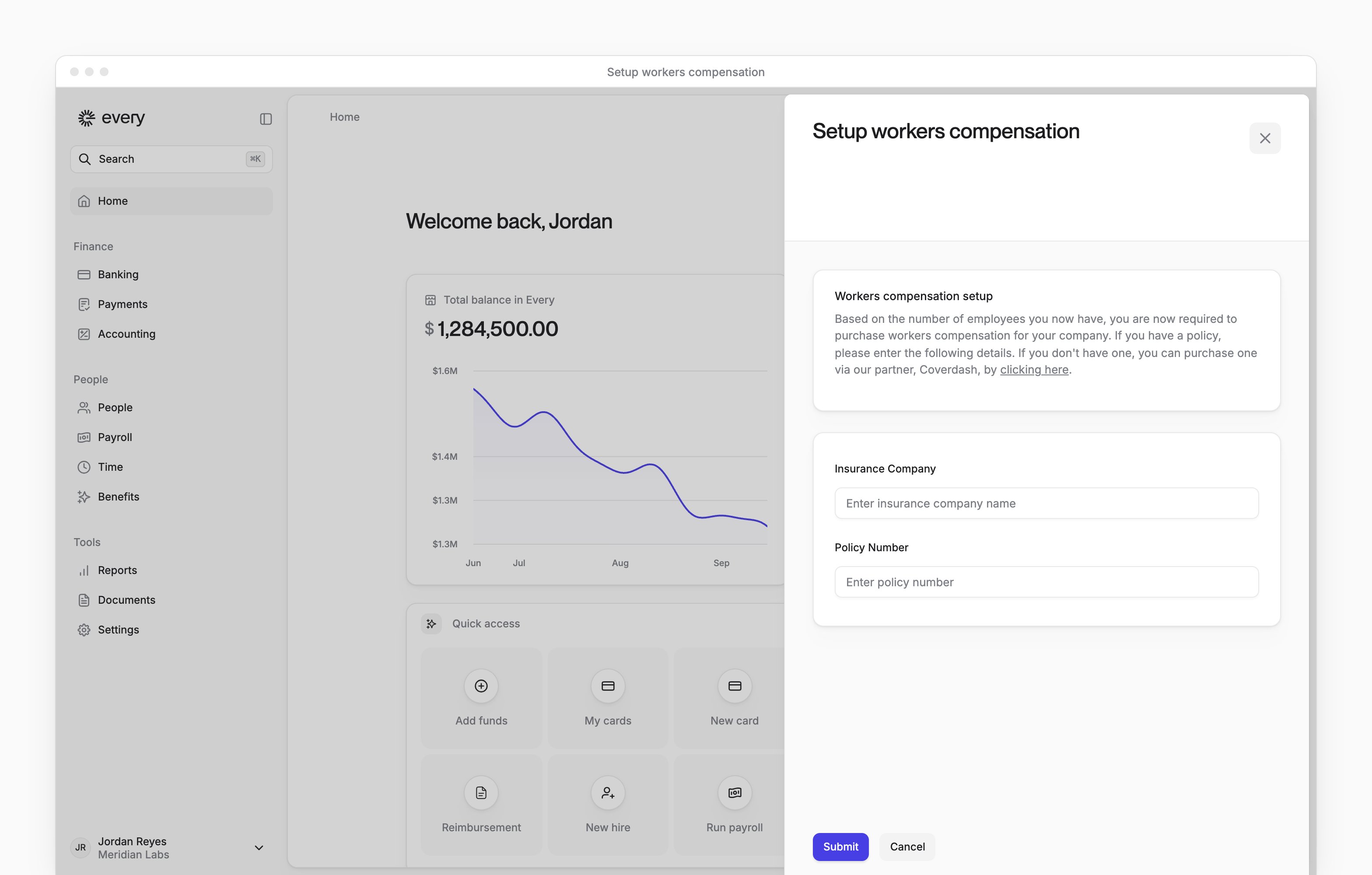
You record a policy from the workers’ compensation compliance alert, when Home shows one. Both policy fields are required.1
Open the alert
On Home, select the workers’ compensation compliance alert to open Setup workers compensation.
2
Enter the insurer
In Insurance Company, enter the name of your insurance company.
3
Enter the policy number
In Policy Number, enter your policy number.
4
Save the details
Select Submit.
Dismiss the alert
- On Home, select Dismiss on the workers’ compensation compliance alert. Confirm you don’t need workers compensation asks you to confirm that each employee on payroll, excluding contractors, is a company owner.
- Select one:
- Cancel, I have hired non-owners and need insurance opens Setup workers compensation
- Dismiss, we are all founders and don’t need insurance dismisses the alert
Troubleshooting
For questions about your company’s coverage or requirements, email support@every.io.