


 On Settings → Administrators, Company Admins add administrators and manage their permissions.
Every turns on the Accounts Payable permission company by company. If you don’t see it, email support@every.io to ask about it.
Add someone already at your company
1
Open the existing person form
On Settings → Administrators, select Add new → Existing every user.
2
Choose the person
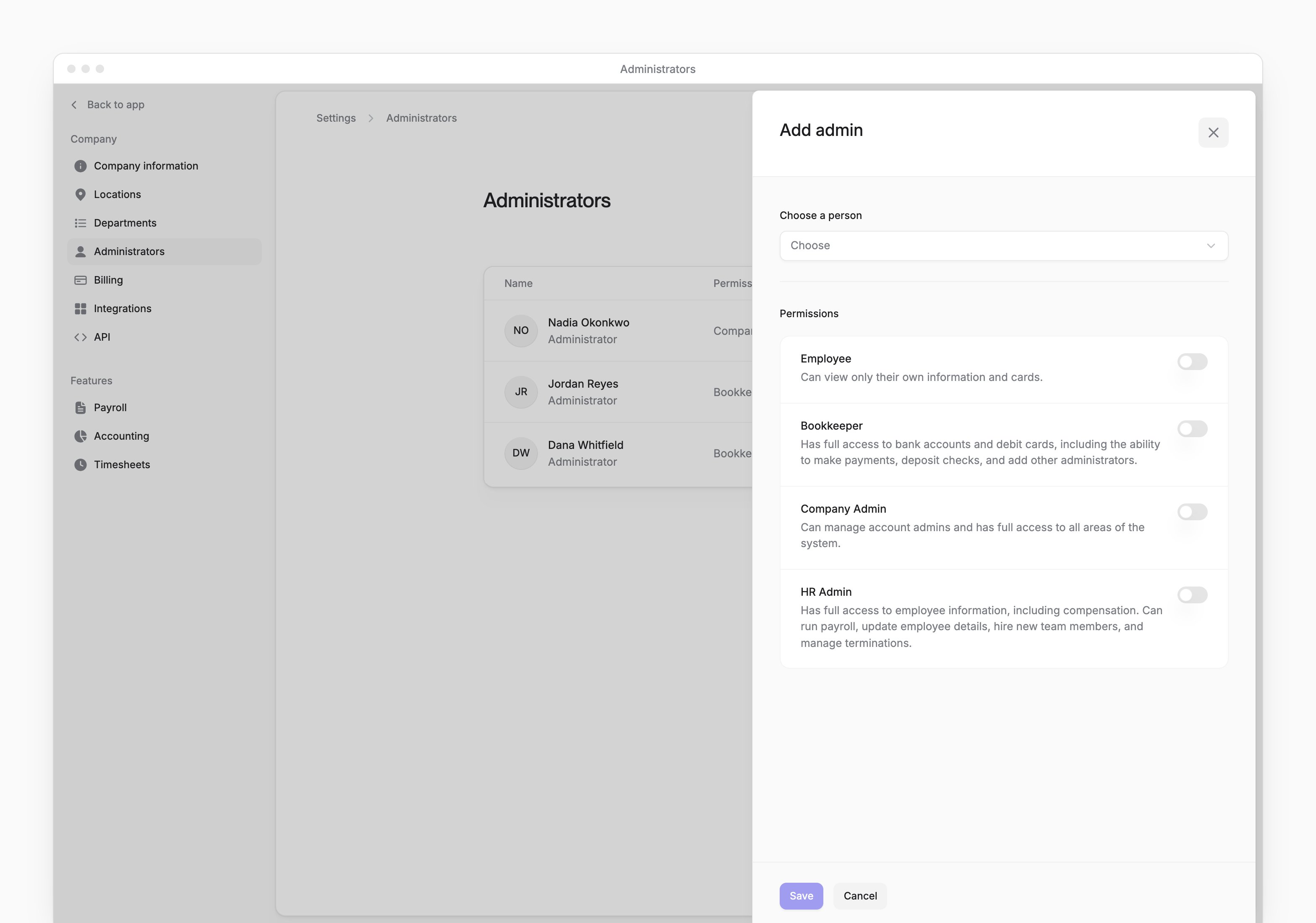
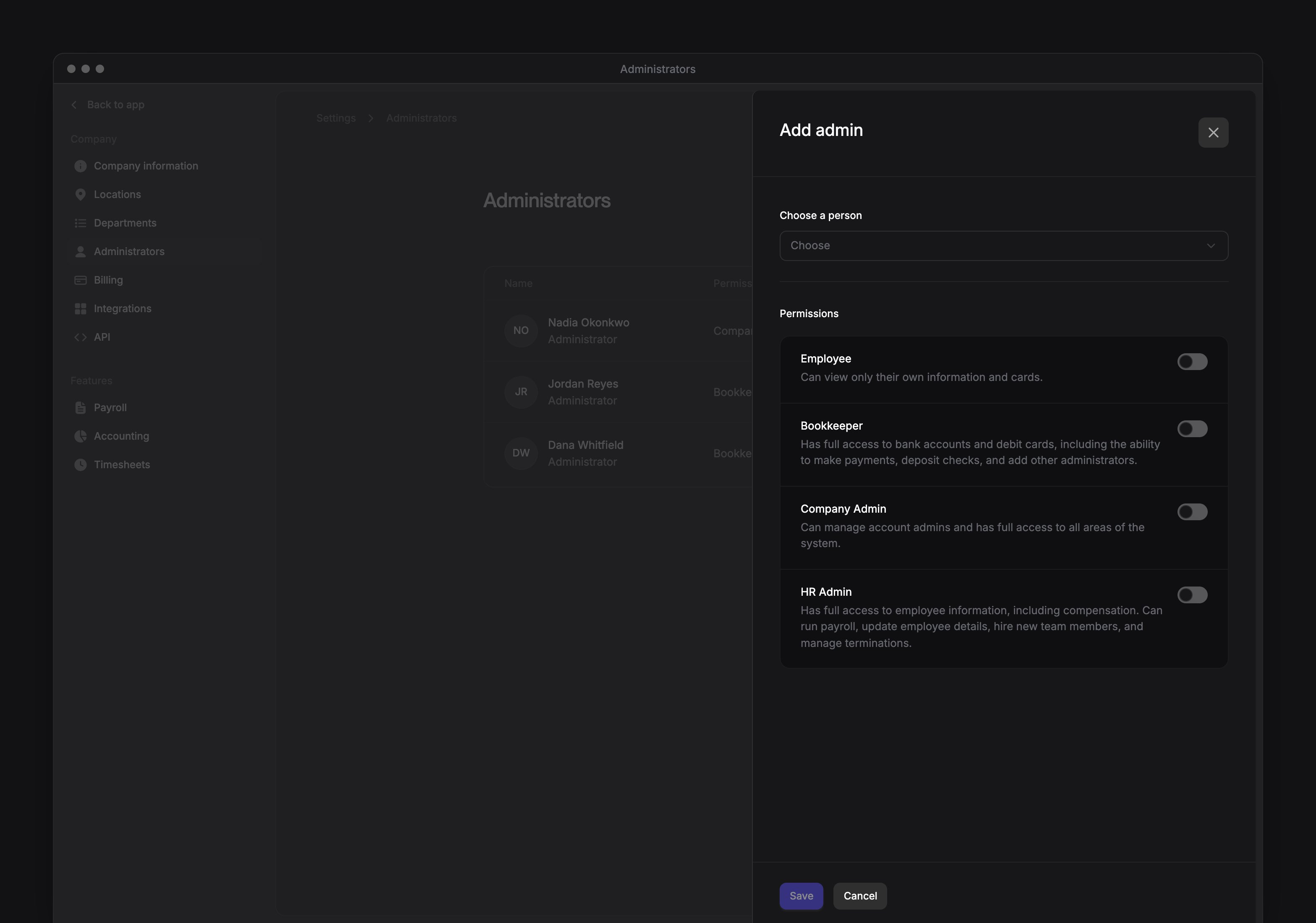
In Choose a person, select the person who needs access.
3
Choose the roles
Under Permissions, turn on at least one role.
4
Save the roles
Select Save. The form closes and the list reloads with the person’s roles.
Add someone from outside your company
An External 3rd party user joins your company as an external user, without becoming an employee.1
Open the external person form
On Settings → Administrators, select Add new → External 3rd party user.
2
Enter the person's details
Enter their First name, Last name and Work email. Both names and a valid email address are required.
3
Choose the roles
Under Permissions, turn on at least one role.
4
Save the person
Select Save. The form closes after the person and permissions are saved.
- “This user already exists” means the person already belongs to your company.
- “This email already belongs to another company on Every. Contact support to add them.” means the email belongs to a different company. Email support@every.io to ask about adding them.
Change permissions
Review the selected permissions before saving your changes.1
Open the permissions form
In the person’s menu on Settings → Administrators, select Edit permissions.
2
Set the roles
Under Permissions, turn on the roles to keep and turn off the roles to remove. At least one must remain on.
3
Save the selection
Select Save. The list reloads with the saved roles.
Remove administrator access
Removing an external user removes all their company roles and external user access, even if they’re also an employee. For anyone else, removal keeps an assigned Employee role and deletes their other company roles.- In the person’s menu on Settings → Administrators, select Remove administrator.
- In Remove Administrator, select Remove to confirm.