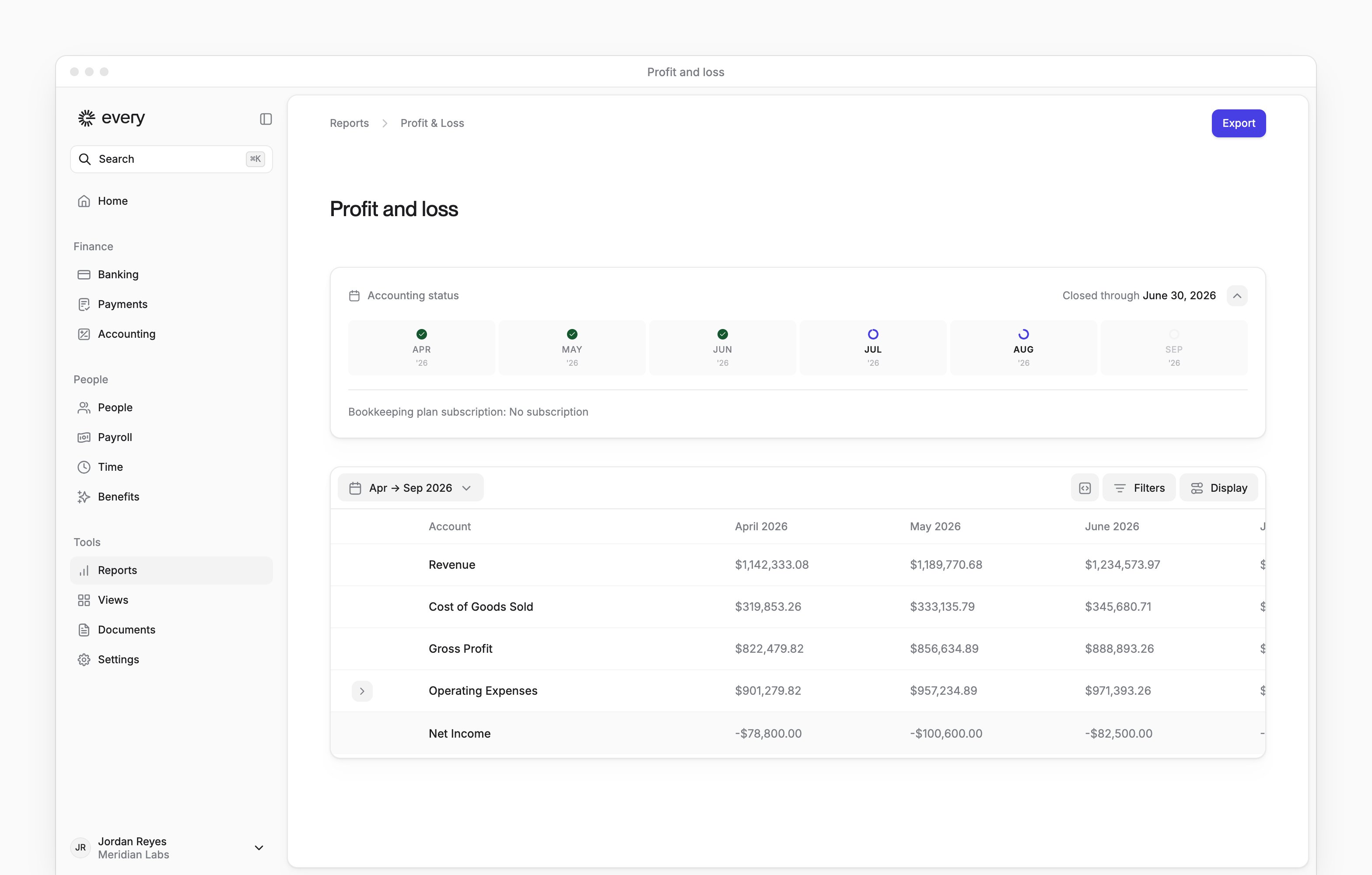
Tools → Reports lists your company’s three financial statements in its Accounting group. Company Admins and Bookkeepers can open them after your company finishes onboarding.
The statements appear once accounting is enabled for your company and someone has started connecting its accounting software (see Accounting settings).
Tools → Reports lists your company’s three financial statements in its Accounting group. Company Admins and Bookkeepers can open them after your company finishes onboarding.
The statements appear once accounting is enabled for your company and someone has started connecting its accounting software (see Accounting settings).
The Accounting status panel above each statement follows whether Accounting insights is available to your company, which Every turns on company by company. If you don’t see the panel, email support@every.io to ask about it.
An open statement is titled Profit and loss, Balance sheet or Cash flow.
Read a statement
Each statement is a table with an Account column and one column per month.- Expand an account to see the accounts inside it.
- Profit and loss ends with Net Income, and Balance sheet ends with Net Assets.
- Use the date range picker to choose a preset or Custom, then select Apply.
- Select Filters → Account to show only some accounts.
- Select Display to change the Ordering or hide columns. Once you change the view, Display also shows Reset view, which clears your saved Display settings for the statement.