


 Tools → Reports opens All Reports, where the Payroll, People, Benefits and Time Off groups hold the reports on this page. After your company finishes onboarding, Company Admins and HR Admins can open every report here, and a Bookkeeper alone can open only Payroll Journal.
Every turns on Terminations and Equity Grants company by company. If you don’t see them, email support@every.io to ask about them.
When each report is listed
A report is listed only when your role can open it and your company meets its condition.Payroll
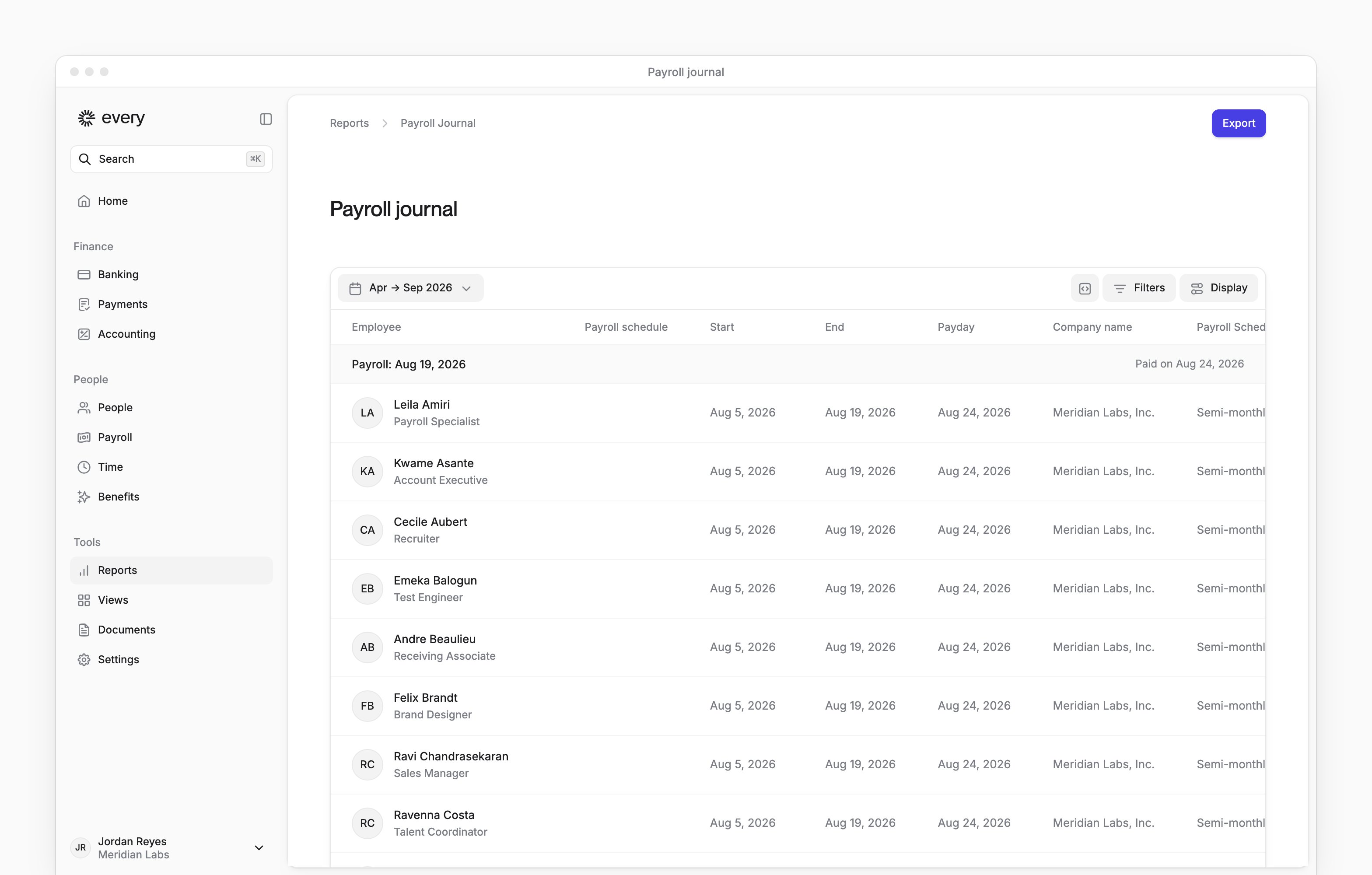
Both reports have a date range picker, which starts on the last 6 months. Workers Comp Audit Report rounds your period out to whole months: it starts on the first day of the first month and ends on the last day of the last month. It leaves out employees marked international.
Payroll Journal groups its rows by Payday. Each group opens with a heading row that shows a end date and the payday, above the group’s employee rows.
People
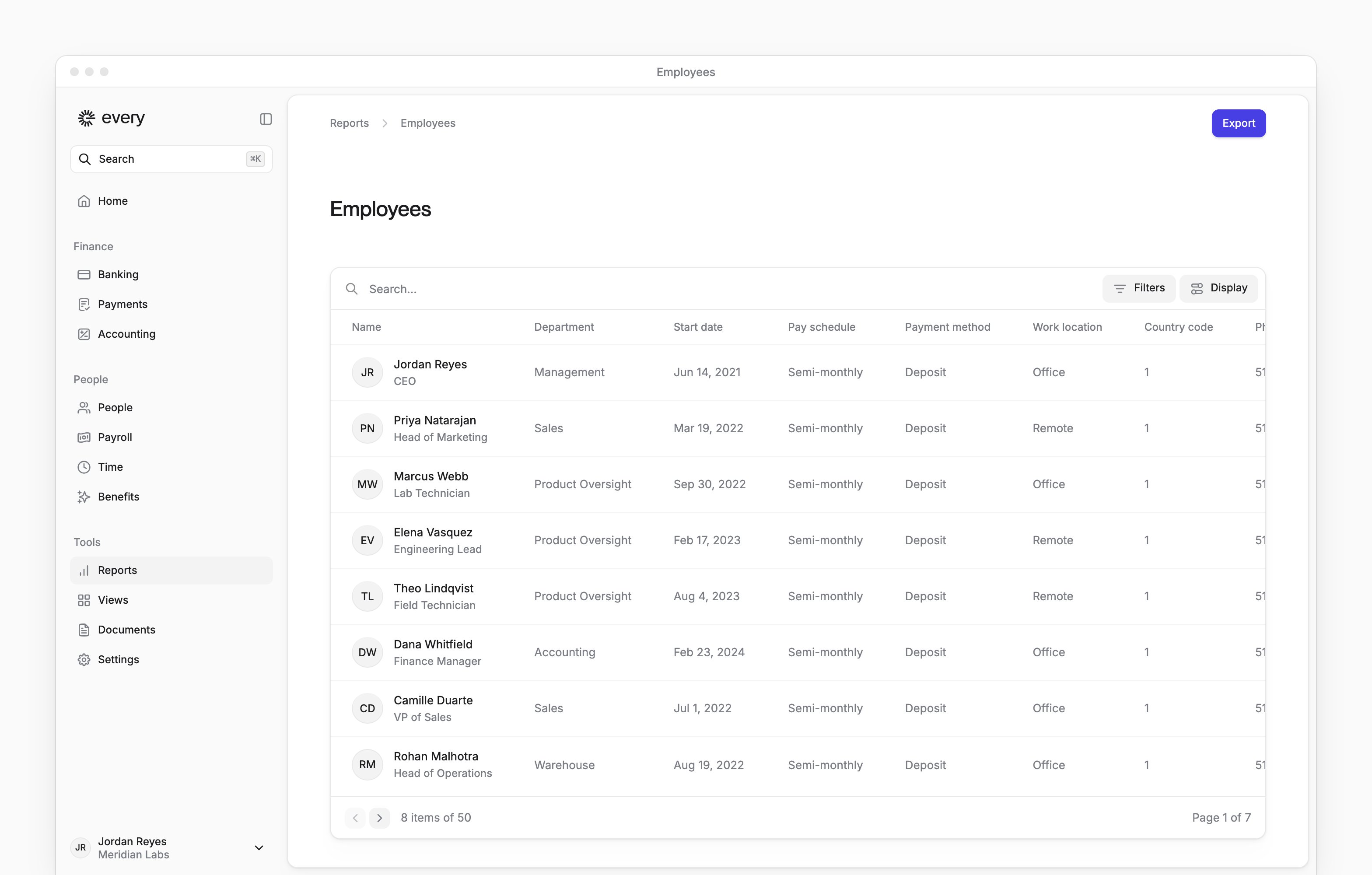
Terminations has a date range picker. Employee List, Dependents and Equity Grants don’t.
Benefits
Financial Benefits covers the current year and has no date range picker. Each row is a transaction, with the employee, benefit, date, direction, summary, amount and balance. The report appears once your company has financial benefits.Time Off
Unlimited policies show Unlimited under Accrued and Remaining on Time Off Balances. The Totals strip leaves unlimited policies out of Accrued and Remaining, but Used and Adjustments still count them. PTO Liability doesn’t include unlimited policies.
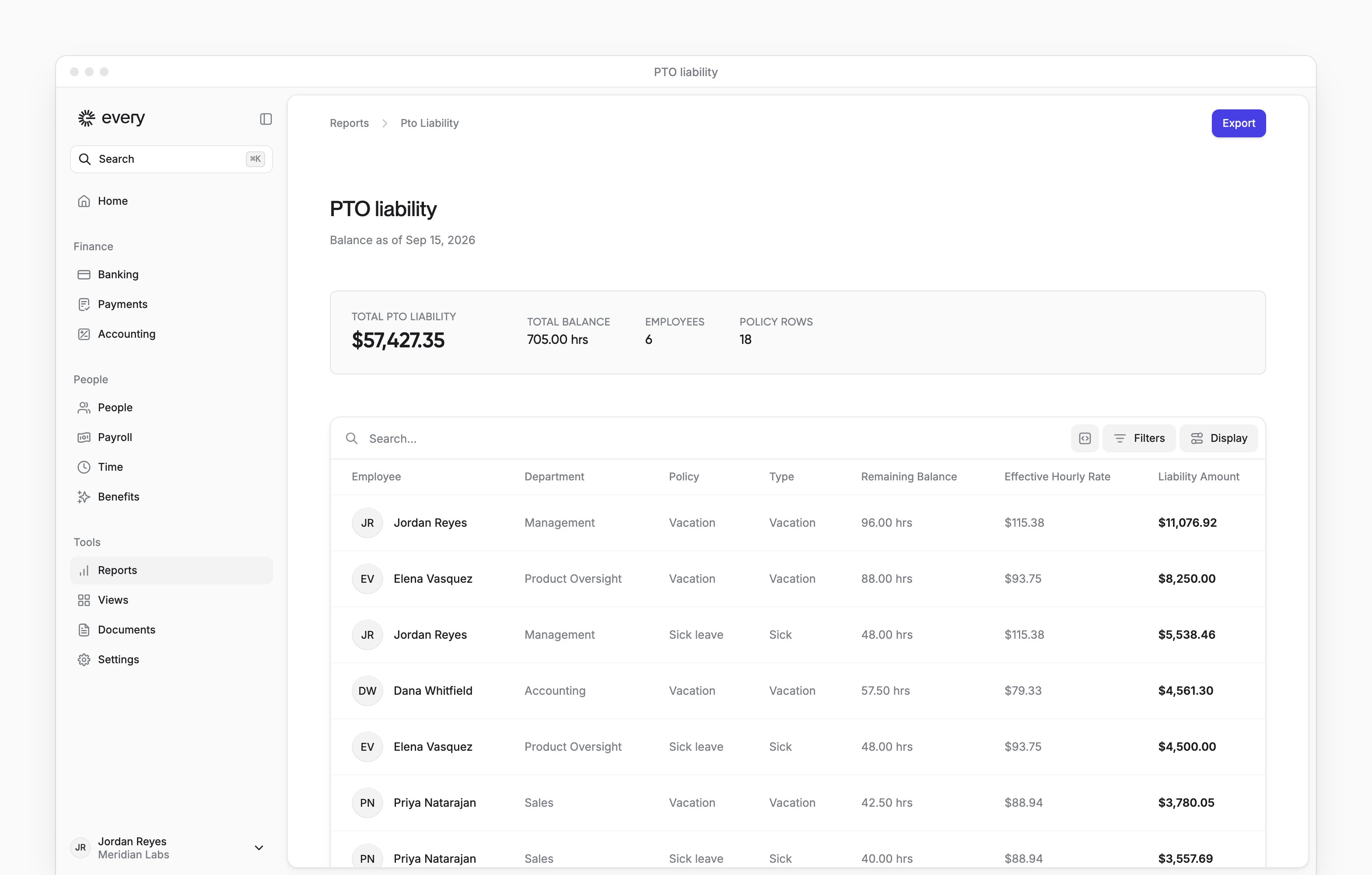
On PTO Liability, use the As of filter to pick the date. Select Status → Include terminated to add people who have left; they appear only with a balance above zero.
Every works out the hourly rate from each person’s pay on the as-of date. An hourly amount is used as is. A yearly, monthly or weekly amount is converted over a 2,080-hour year.
A row shows a dash instead of a rate and amount when the employee has no pay on file or a fixed contractor amount. Total PTO Liability leaves those rows out, and a warning icon beside the total says how many.
If the rows left after your column filters are in more than one currency, “Multi-currency liability not yet supported” replaces the total. Filter by department or policy until the rows share one currency to bring it back.
Export a report
Select Export to download the report as a CSV file. The file holds every row the report returns for your period, and every column the report has, including columns you’ve hidden in Display. Search and column filters on screen don’t change it. Two reports differ:- Time Off Balances exports the rows left after your column filters, in the table’s sort order. Search doesn’t change it.
- PTO Liability follows As of and Status, but not the column filters such as department, policy, type or employee. The summary above the table does follow the column filters.